
Adding a Workflow Template
What are workflow templates?
Templates are pre-built examples created by Procedureflow using proven process design best practices to explore recommended flow structures, accelerate implementation, and serve as a starting point for building your own processes.
Workflow templates provide examples of workflows that follow Procedureflow's workflow rules and are designed for Agentic API compatibility. Use them as a starting point for creating your own AI-ready workflows. For more information about workflows, see Workflows.
Add a workflow template
- Click Administration, then select Entry Points.
- Click Use a Template
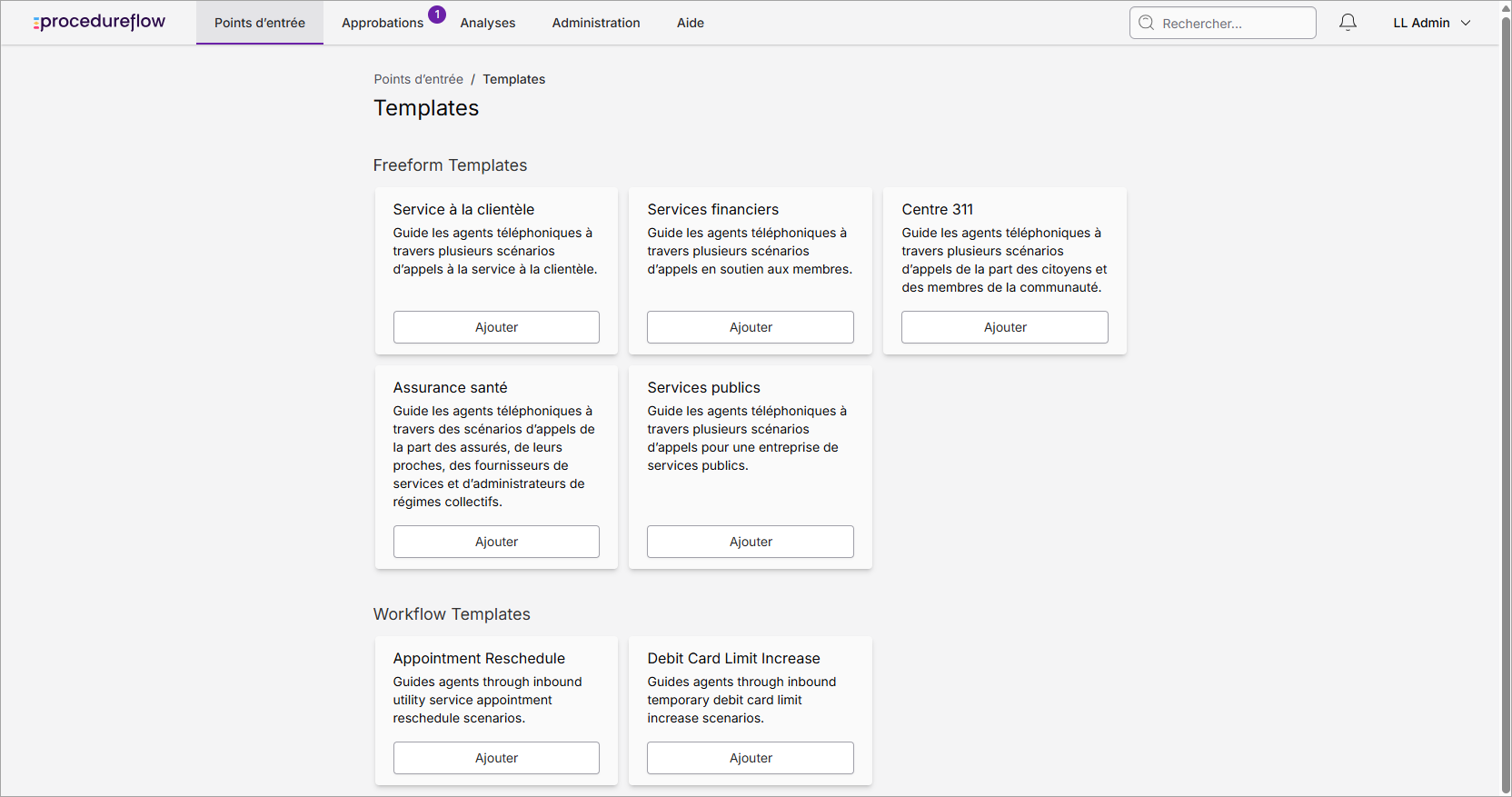
- Browse the available templates. If your organization has Workflows enabled, templates are categorized as:
- Freeform: Available to all organizations.
- Workflow: Available only to organizations with Workflows enabled (refer to Workflows for more information).
- Click Add for the template you want to use.
- After the template has been added, click View Flows to explore and customize the included flows.
Adding a workflow template creates a new entry point in your organization and automatically adds you as a member. To allow other users to access the entry point, add them as members after the template has been created.